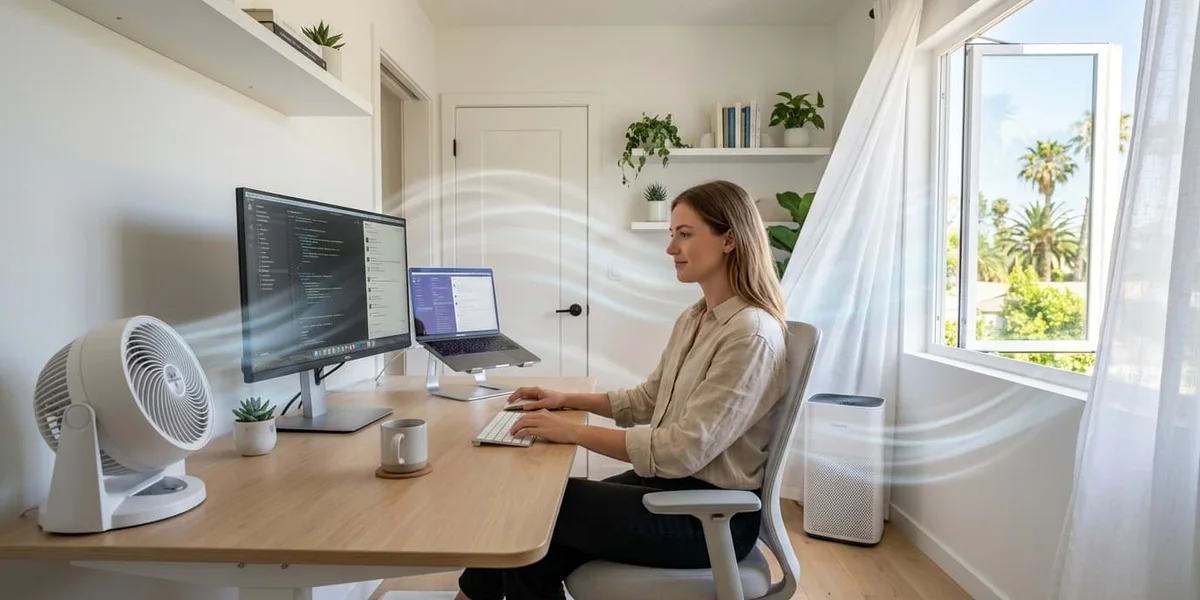
How to Improve Airflow in Your Home Office (2026)
Poor airflow makes your home office hot and stuffy. Here are 10 proven ways to improve air circulation and stay comfortable while working from home.
Table of contents
A hot, stuffy home office isn’t just uncomfortable — it actively hurts your ability to think clearly. Poor airflow means heat and CO₂ accumulate in your workspace, both of which reduce cognitive performance measurably.
The good news: improving airflow doesn’t require expensive equipment or renovation. Most of the highest-impact changes cost nothing or under $50. The key is understanding how air actually moves through a space — and working with that physics rather than against it.
Why airflow matters more than temperature
Most people focus on lowering the temperature of their office. That’s the right instinct — but airflow and temperature are different problems with different solutions.
Temperature is how hot the air is. A portable AC lowers temperature.
Airflow is how much the air moves. A fan improves airflow.
In practice, improving airflow often makes temperature less relevant. Moving air at 30°C feels significantly cooler than still air at 27°C — because air movement accelerates evaporation from your skin, which is your body’s primary cooling mechanism.
Before buying a cooler, optimize your airflow. You may find it solves 70% of your discomfort for free.
The physics of airflow in a room
Air moves from high pressure to low pressure, and from warm areas to cool areas. Hot air rises, cool air sinks.
In a typical home office:
- Heat sources (computer, monitors, sunlight) create warm zones
- Without ventilation, that warm air accumulates near the ceiling and gradually heats the whole room
- Opening a window creates a pressure differential, but only if there’s another opening for air to exit
Understanding this lets you position fans and openings strategically rather than randomly.
10 ways to improve airflow in your home office
1. Set up cross-ventilation — free
The single highest-impact airflow improvement. Place a fan near one window or door pointing inward, and open another window on the opposite side of the room.
This creates a pressure differential that pulls fresh air through the entire space continuously. In a 15–20m² office, this can lower perceived temperature by 4–6°C at zero cost.
The timing matters: Cross-ventilation works best when outdoor air is cooler than indoor air — typically early morning and evening. During peak afternoon heat, close windows and circulate indoor air instead.
2. Position your fan correctly — $20–60
Most people place fans in the wrong spot. A fan blowing directly at your face from close range creates discomfort — too much direct airflow causes fatigue and dries out eyes and throat.
The correct positioning:
- Angle: Direct airflow at chest and shoulder level, not directly at your face
- Distance: 1–2 meters away for comfortable indirect airflow
- Direction: Angle slightly upward to create circulation, not just a direct stream
For room-level circulation, place the fan in a corner angled diagonally across the room — this creates the maximum air movement path.
Vornado 630 Mid-Size Air Circulator
The best fan for whole-room airflow improvement. Vornado's vortex technology creates a continuous air circulation pattern throughout the room rather than a single directional stream. One unit placed correctly can circulate air in a 20–25m² space effectively.
- Whole-room air circulation
- Quiet on low and medium settings
- Effective in rooms up to 25m²
- 5-year satisfaction guarantee
- No oscillation by design
- Larger footprint than desk fans
- Doesn't lower air temperature
3. Use a window fan in exhaust mode — $35–60
A window fan running in exhaust mode actively removes hot air from the room rather than just recirculating it. This is fundamentally different from a regular fan — it creates negative pressure in the room, which draws cooler air in through other openings.
Run it in exhaust mode during peak heat hours (12pm–4pm) when you want to push accumulated hot air out. Switch to intake mode in the morning when outdoor air is cooler than indoor air.
4. Block solar heat before it enters — $20–40
Sunlight through windows doesn’t just bring light — it brings radiant heat directly into your workspace. A south or west-facing window with no covering is one of the largest heat sources in a home office.
Options by effectiveness:
- Reflective window film ($15–25) — reflects up to 80% of solar heat, barely affects light levels
- Blackout curtains ($25–40) — blocks both heat and light, useful if you don’t need natural light
- Light-filtering curtains ($20–35) — reduces heat while maintaining some natural light
This is often more effective than adding a fan — you’re preventing heat from entering rather than removing it after the fact.
5. Raise your airflow — use ceiling height
Hot air rises. If your office has ceilings above 2.5m, the hottest air in the room is near the ceiling — away from where you sit. You can use this to your advantage:
- If you have a ceiling fan, run it counter-clockwise in summer (looking up) to push air down
- Place a fan on a shelf or elevated surface to circulate air at sitting height rather than floor level
- Open high windows (transoms or top-opening windows) to let hot air escape at its natural exit point
6. Eliminate heat sources near your workstation — free
Every piece of equipment in your office generates heat. In a small, poorly ventilated space, this accumulates quickly.
Common heat sources to relocate:
- Desktop computers — a gaming PC generates 200–500W of heat continuously. Move it to the floor or a nearby closet if possible
- Routers and network equipment — minor but real; move to a shelf away from your immediate workspace
- Monitors — older LCD monitors generate more heat than modern LEDs; consider upgrading if you’re running old hardware
7. Use a desk fan for personal cooling — $20–35
Even with good room airflow, a personal desk fan at workstation level provides immediate comfort that room-level solutions can’t match. The goal isn’t to cool the room — it’s to create airflow specifically where your body generates and retains heat.
Target airflow at:
- Your forearms and wrists (typing generates heat here)
- Your chest and upper body
- Your face (use gentle airflow — not direct high-speed blast)
Honeywell HT-900 TurboForce Fan
The best personal desk fan for workstation-level airflow. Compact enough to fit on any desk, the 90-degree pivot lets you direct airflow precisely at whatever part of your body needs it most. Three speeds with the lowest setting quiet enough for most calls.
- Under $25
- 90° pivot for precise direction
- Compact — fits any desk
- Quiet on low setting
- 3 speed settings only
- No oscillation
- Personal use only
8. Pre-cool before work hours — free
Thermal mass — the walls, floor, and furniture of your office — absorbs and radiates heat. If your office heats up during the day, that thermal mass continues radiating heat even after outdoor temperatures drop.
The solution: open windows and maximize airflow in the evening and early morning when outdoor temperatures are lower. This cools the thermal mass of the room, giving you a head start before work begins.
In practice: open windows at 6–7am, run a fan for 30–60 minutes before starting work. This can lower your starting temperature by 2–4°C compared to a room that’s been sealed all night.
9. Add a second airflow layer with a tower fan — $50–120
For larger home offices or spaces with multiple workstations, a single fan is insufficient. A tower fan provides broader coverage and can complement a desk fan — one for room circulation, one for personal cooling.
Tower fans are also quieter than most other fan types at equivalent airflow because their blades are longer and spin more slowly. This makes them particularly suitable for call-heavy work environments.
10. Combine solutions strategically — $50–150 total
The most effective approach is combining complementary solutions:
The $50 setup:
- Cross-ventilation (free) + one Honeywell desk fan ($25) + reflective window film ($20)
- Effective for: mild heat (up to 28°C), rooms with openable windows
The $100 setup:
- Vornado 630 air circulator ($60) + window film ($20) + pre-cooling routine (free)
- Effective for: moderate heat (up to 31°C), most home offices
The $150 setup:
- Vornado 630 ($60) + Honeywell desk fan ($25) + window fan in exhaust mode ($55)
- Effective for: higher heat (up to 33°C), rooms without cross-ventilation options
When better airflow isn’t enough
Improved airflow significantly reduces discomfort but has physical limits. Above 33–35°C with high humidity, airflow alone cannot maintain a productive work environment. At that point, active cooling (portable AC or evaporative cooler) becomes necessary.
Signs that you need active cooling rather than just better airflow:
- Sweating persists even with strong airflow
- Outdoor temperature regularly exceeds 33°C
- Humidity above 70% makes evaporation ineffective
- You’re losing productive hours specifically due to heat, not just discomfort
Frequently asked questions
Does opening a window always improve airflow?
Only if there’s another opening for air to exit. One open window creates minimal airflow — air needs a path in and a path out to move meaningfully. Open windows on opposite sides of the room, or open a window and a door on opposite sides.
Is it better to point a fan toward you or away from you?
For personal cooling, point it toward you (toward your body) at chest level. For room circulation, angle it across the room toward a wall or corner — this creates a circulation pattern rather than a single stream.
How many fans do I need for a home office?
For a room up to 15m²: one good air circulator is sufficient. For 15–25m²: one air circulator plus one personal desk fan. For 25m²+: consider two air circulators or supplement with a portable AC.
Ready to build a cooler workspace?
Browse our full guides on fans, cooling solutions, and ergonomic gear for warm-climate home offices.
Related articles
- Office cooling on a budget: 10 solutions under $100 — budget-focused cooling options
- Home office cooling solutions that actually work — complete breakdown of every solution type
- Best office fans and desk fans for home office — specific fan recommendations
Last verified May 2026.