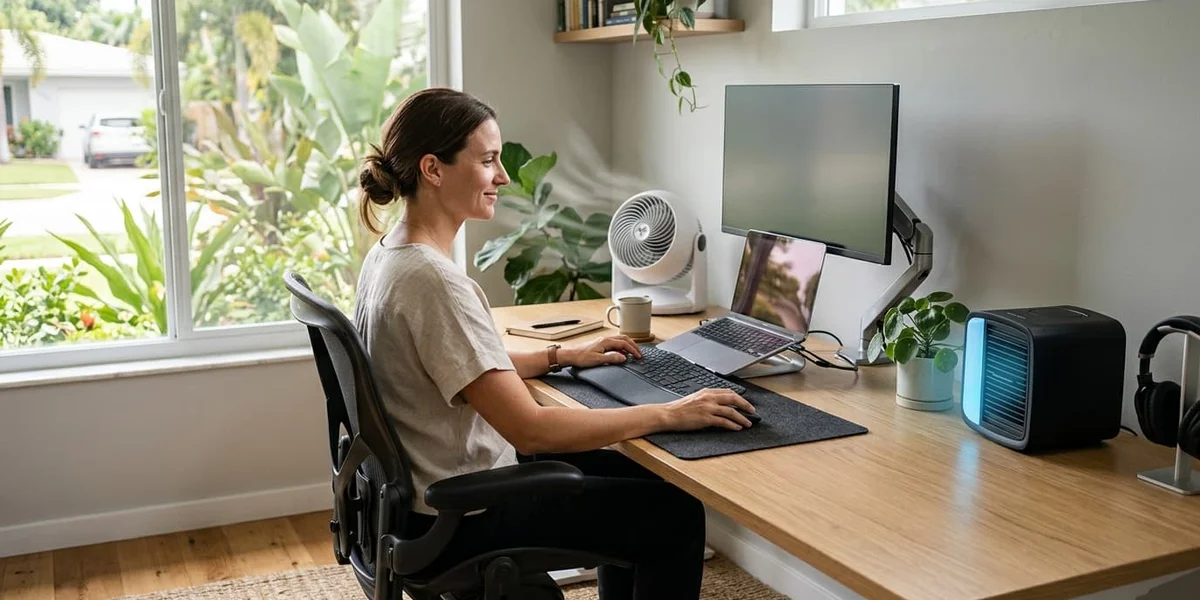
Best Ergonomic Cooler for Your Workspace (2026)
The best ergonomic coolers for workspaces tested for noise, airflow, and comfort. Stay cool without disrupting your focus, posture, or client calls.
Table of contents
Most cooling guides treat comfort and ergonomics as separate problems. They’re not.
A fan that blasts directly at your face causes eye dryness and fatigue. A loud portable AC creates cognitive load that compounds over hours. A poorly placed cooler forces awkward posture to avoid the airflow. All of these are ergonomic problems caused by the wrong cooling solution.
An ergonomic cooler solves heat without creating new discomfort. It fits your workspace, respects your work patterns, and integrates into your setup rather than competing with it.
The ergonomic cooling criteria
Before evaluating any product, a cooler must meet these criteria to be considered ergonomic:
Noise below 45dB at working speed — sustained noise above 45dB reduces cognitive performance measurably. It doesn’t need to be silent, but it needs to be below the threshold where it becomes a distraction.
Adjustable indirect airflow — direct high-velocity airflow at face level causes eye strain and throat dryness over hours. An ergonomic cooler lets you direct airflow at your torso or create room circulation without constant blast at face level.
Stable, non-intrusive placement — a cooler that requires frequent repositioning, creates visual distraction in your peripheral vision, or forces you to awkwardly avoid it is an ergonomic liability regardless of how well it cools.
Controls that don’t interrupt work — remote controls, touch panels, or simple single-knob interfaces. Having to stop work, lean over, and navigate a complex control panel to adjust temperature is friction that adds up over a workday.
Our top picks
Most ergonomic personal cooler
Dyson Cool AM06 Desk Fan
The benchmark ergonomic personal cooler. Bladeless technology eliminates the buffeting airflow pattern that causes fatigue and eye strain — the airflow is smooth and consistent rather than pulsed. Remote control means zero workflow interruption. 70-degree oscillation creates indirect room circulation rather than direct blast. The most ergonomically considered personal cooler available.
- Bladeless — smooth airflow, no buffeting
- Remote control — zero workflow interruption
- Near-silent at low and medium settings
- 70° oscillation for indirect circulation
- No vibration — stable on any surface
- Premium price
- Personal cooling only
- Doesn't reduce room temperature
Most ergonomic room cooler
Vornado 660 Large Whole Room Air Circulator
The most ergonomic room-level cooler. Vornado's vortex technology creates whole-room air circulation rather than a directional stream — you feel the cooling effect as improved ambient comfort rather than direct airflow. Place it in a corner, set the speed, and it disappears into the background. No repositioning needed, no airflow to avoid.
- Indirect whole-room circulation
- Set-and-forget operation
- Quiet on low and medium settings
- Covers rooms up to 30m²
- 5-year satisfaction guarantee
- Doesn't lower air temperature
- Audible on high setting
- Less effective above 33°C
Most ergonomic evaporative cooler
Honeywell CL30XC Indoor Portable Evaporative Cooler
The most ergonomic evaporative cooler for dry-climate workspaces. Oscillating louvers distribute cooled air evenly across the room rather than concentrating it in a single direction. The remote control and programmable timer allow full adjustment without stopping work. Operates at 51dB on medium — acceptable for most workspace environments.
- Lowers actual air temperature 4–8°C
- Oscillating louvers — indirect distribution
- Remote control and timer
- 51dB on medium — workspace acceptable
- No permanent installation
- Only effective below 50% humidity
- Requires regular water refilling
- Larger unit — needs floor space
Most ergonomic portable AC
LG LP0821GSSM 8,000 BTU Portable Air Conditioner
The most ergonomic portable AC available. At 53dB it produces consistent background noise rather than disruptive cycling sounds. Remote control for full workspace adjustment. Once the room reaches the set temperature, the compressor reduces activity — making it progressively quieter during steady-state operation. The ergonomic ideal for all-climate workspaces.
- 53dB — quietest portable AC in class
- Consistent noise — not disruptive cycling
- Remote control
- Maintains steady temperature
- Works in any climate
- Requires window exhaust
- Highest upfront cost
- Higher electricity usage
Side-by-side comparison
Best ergonomic coolers for workspaces
| Feature | Best Room Cooler Vornado 660 $89.99 | Most Ergonomic Dyson AM06 $279.99 | Best Dry Climate Honeywell CL30XC $189.99 | Best All-Climate LG LP0821GSSM $379.99 |
|---|---|---|---|---|
| Rating | 4.5/5
| 4.7/5
| 4.2/5
| 4.4/5
|
| Description | Best ergonomic room cooler. Indirect whole-room circulation. | Most ergonomic personal cooler. Bladeless, remote, near-silent. | Best ergonomic evaporative cooler for dry climates. | Most ergonomic portable AC. Consistent noise, remote control. |
| Pros |
|
|
|
|
| Cons |
|
|
|
|
| Buy | Check price → | Check price → | Check price → | Check price → |
Ergonomic placement guide
Where you place your cooler affects ergonomics as much as which cooler you choose:
Personal desk fan: Position 60–90cm from your body, angled at chest and shoulder level — not your face. The goal is airflow across skin surface area, not wind directly in your eyes. Slightly upward angle creates gentle circulation rather than direct blast.
Room air circulator: Corner placement angled diagonally across the room creates the longest air circulation path. Avoid placing directly behind your monitor — the movement in peripheral vision is a subtle but real distraction during focused work.
Evaporative cooler: 1.5–2 meters away with oscillating mode active. Closer placement creates humidity zones directly in front of the unit that feel uncomfortably damp rather than cool.
Portable AC: Near the window used for exhaust. Direct the outlet toward the center of the room — let cooled air mix before reaching your workstation rather than blowing directly at you from close range.
The ergonomic cooling stack
The most effective approach combines solutions for different functions:
Foundation ($60–90): Vornado 660 in a corner for ambient room circulation. This alone addresses 60–70% of workplace heat discomfort at moderate temperatures.
Personal layer ($25–280): Add a desk-level cooler for your immediate workstation. Honeywell HT-900 if budget is tight; Dyson AM06 if calls are a major part of your work.
Climate control ($380): Add portable AC when temperatures regularly exceed 30°C or when the above combination isn’t sufficient for your climate.
Each layer compounds — the combination of room circulation, personal airflow, and active cooling creates an environment that’s significantly more comfortable than any single solution alone.
Frequently asked questions
What makes a cooler ergonomic?
Low noise (below 45dB at working speed), adjustable indirect airflow that doesn’t blast your face, stable non-intrusive placement, and controls that don’t interrupt work. An ergonomic cooler integrates into your workflow rather than creating new discomfort.
Is a bladeless fan more ergonomic than a regular fan?
Yes for desk-level personal cooling. Bladed fans produce buffeting airflow — rapid on-off pulses that cause subtle eye strain and fatigue over hours. Bladeless fans produce smooth, consistent airflow without buffeting. The Dyson AM06 is the benchmark product in this category.
What’s the most ergonomic way to use a portable AC?
Position it near its window exhaust point and direct airflow toward the center of the room — not directly at your workstation. This allows cooled air to mix with room air before reaching you, creating even temperature distribution rather than a cold blast from one direction.
Can I use multiple coolers ergonomically?
Yes — in fact the most ergonomic setups use layered solutions. A room circulator for ambient cooling plus a personal desk cooler for workstation-level comfort is more effective and more ergonomic than one powerful cooler trying to do both jobs.
Complete your ergonomic workspace setup
Browse our full guides on ergonomic chairs, cooling gear, and workspace optimization for warm climates.
Related articles
- Best cooler for office and remote workers — broader options for all work environments
- How to improve airflow in your home office — airflow optimization before buying equipment
- Best breathable mesh office chairs for hot weather — ergonomic seating that works with your cooling setup
Prices are approximate and subject to change. Last verified June 2026.